Do you want to bring fun and challenge to your classroom?
If your answer is yes, this application is great for you. In this brief blog post, I will try to introduce you the features of Quizlet and show you how to use it in the classroom.
How/When did I find Quizlet?
I am an English teacher, we learn many new words in a week. Especially with my 8th graders, we learn plenty of new vocabulary in every single unit. So naturally, there are so many words to memorize that sometimes my students might have difficult times during the exams. I found Quizlet during my search on how to ease their suffering 🙂 But of course, you can use it for any other purpose.
I started using Quizlet with using other users’ sets. When I fully learned what to do, I started to build my own vocabulary sets – filling them with the words that we have recently learned by that time. I use the sets quite different than the other users actually such as making competitions among the students. While 2 students racing, the one who gives the quickest answer which is the Turkish meaning of the word wins the tour. In the end, the student who gives the most correct answer wins the game. I also share the sets I prepared with my students and their parents so that they can study at home from their phones, tablets or computers.
There are several study modes in Quizlet.
1- The “Learn” part comes the first. The learners can master through a personalized study plan in this section. It is like a mini-test but when you cannot know the answer, it comes right in front of you over and over again until you acquire it properly.

2- Another study mode is quite familiar to all of us. It is called “Flashcards”. The learner can study or review the intended terms using the real-like flashcards.

3- “Write” part is also quite educational. It keeps track of what you have learned and what you have missed in order to make you aware of the process.

4- “Spell” section is the audio part. It reads the terms aloud so that the learner can write it down. It checks if the spelling is correct.

5- “Test” part allows you to see yourself in an exam or a quiz. You can create your own test just by selecting the question types, and the rest is arranged by the tool.

6- “Match” section is where it all gets gamified. Students love to match the words with the meanings. They challenge each other to do it a shorter period of time.
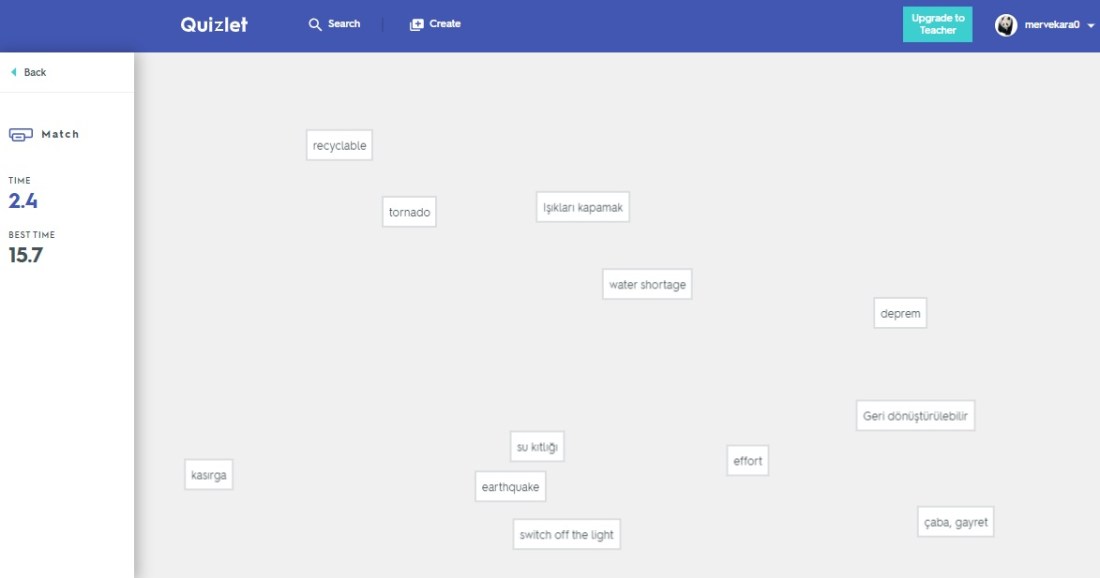
7- “Gravity” is the other gamified section. You should write the meaning of the word inside a comet before it hits the ground. So the adrenalin and the learning go together here.
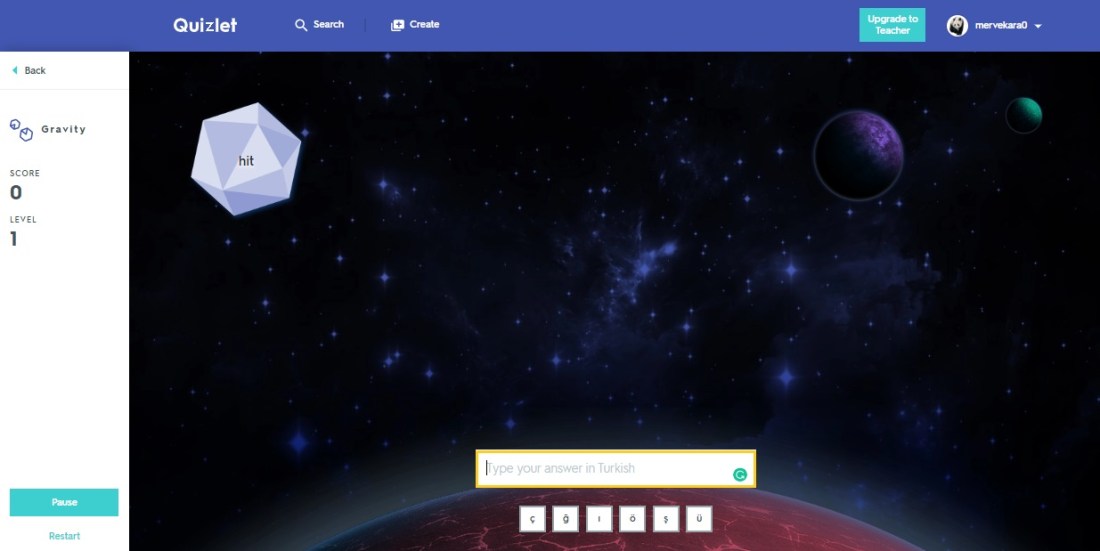
8- The last part is the “Live” part. It is the place where all go collaborative. The learners get their phones and the excitement starts. The system sets the teams. The team which gets to 12 first will be the winner. So as a teacher, sit back and relax while they are having fun and learn.
We teach the digital natives who born into a virtual world. All of our students now have a smartphone, so why not use them in order to teach. We cannot use traditional ways to teach anymore. We have to keep the pace. The learners can download the app to their phone or tablet and use it online/offline wherever they go. So let’s use contemporary ways to teach such as Quizlet 🙂


 Educational Technology